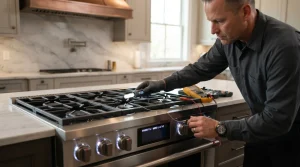
Range and Oven Repair in San Francisco
Gas, electric and induction LG ranges and wall ovens diagnosed in San Francisco and across the Bay Area, with a written estimate…

Specialized LG Appliance Repair in San Francisco
Mon–Sat: 8:00 AM – 7:00 PM
Where to find your model label, which complaints are most common, and what to try before booking a visit.
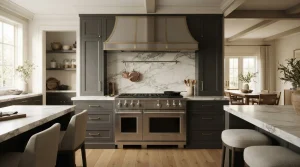
LG cooking appliances in Bay Area kitchens come in two broad shapes: a range that sits on the floor with burners on top and an oven below, and a wall oven set into cabinetry at eye level. Both families share a control board, temperature sensors, door locks and, on many units, a convection fan, so a fault in one place often shows up as a strange symptom somewhere else. This guide walks through the lineup we see most, how to read your own label and what is worth checking before you ask for service. For the repair side, see our LG range and oven repair page.
Ranges are sold as electric, gas, dual-fuel and induction. A freestanding range has finished sides and a back guard with the controls; a slide-in range sits flush with the counter and has its controls on the front. Wall ovens are single, double, or a combination that pairs an oven with a second cavity such as a microwave. Models include the LSEL6335LE electric range and the LSGL5831F slide-in gas range. On the wall oven side there are the LWS3063ST single wall oven, the WDEP9423F double wall oven, and combination units such as the WCEP6427F, the LWC3063ST and the LG STUDIO WCES6428N. The WSEP4727F is also listed as a wall oven.
The first letters of a model number tell you the type. Wall ovens begin with W, and a range from this line usually begins with LS. The full number matters because two ovens that look alike can use different sensors and control boards.
On a freestanding or slide-in range, the label is usually on the frame just inside the oven door, or on the edge of the storage drawer opening once the drawer is pulled out. On a wall oven it is usually on the frame around the oven opening, visible with the door fully open. Photograph it and keep the picture on your phone; our guide to finding the model number shows more spots.
Two of these have their own write-ups: why an LG oven preheats slowly and why it cooks unevenly. A clicking burner is covered in LG gas range burner keeps clicking.
Range displays show an F followed by a number. A few examples from our code library: F1 is an upper oven thermistor error, F10 is a door locking system failure in the upper oven, F9 means the upper oven is not heating properly, and PF means power was interrupted. A code names the circuit that was flagged, not the part that has failed, which is why we confirm it with a test before recommending anything. Write down the exact characters you see before you clear them.
If you smell gas, leave the home, do not touch switches, and call the gas utility or 911 from outside. If you notice burning smells or sparks, switch the range off at the breaker.
When the checks do not help, book through LG range and oven repair. We diagnose first, give you a written estimate, and repair nothing without your approval. Cooktops mounted in a counter are handled on the LG cooktops page.
Usually on the frame around the oven opening, visible when the door is wide open. A photo of the label saves time when you request a visit.
You can note it and press the cancel key, but a code that returns means the fault is still there. Write down the characters first so we can match them to the right circuit.
No. A weak element, a sensor reading wrongly or a control board issue can each cause it, which is why testing comes before parts.
Yes. Gas, electric and induction ranges and wall ovens are all part of what we diagnose in San Francisco and around the Bay.
Let the oven cool fully, switch it off at the breaker for a short time, then restore power. If it stays locked, the lock mechanism or its switch needs a technician.
Gas, electric and induction LG ranges and wall ovens diagnosed in San Francisco and across the Bay Area, with a written estimate…
LG LSEL6335LE electric range repair in San Francisco and the Bay Area: bake and burner faults, display messages, door and fan noises,…
Burners clicking, an oven that will not light or a door that stays locked on the LG LSGL5831F slide-in gas range: how…
Two ovens in one cabinet column means two sets of symptoms. We diagnose the LG LWC3063ST combination wall oven for San Francisco…
Oven that will not heat, takes too long, or shows an F code? Here is what we check on the LG LWS3063ST…
LG WCEP6427F 30 inch combination wall oven repair in the Bay Area. Learn the faults we diagnose, the display messages that matter…
LG STUDIO WCES6428N combination wall oven repair in San Francisco and the Bay Area: upper and lower oven faults, door locks, fans…
LG WDEP9423F 30 inch double wall oven repair in San Francisco and the Bay Area. We cover heat, lock, probe and fan…
Help for the LG WSEP4727F wall oven in San Francisco: heating faults, locking doors, fan noises and F codes explained and diagnosed.
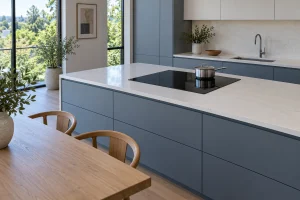
Gas, electric and induction cooktops set into the counter: how the LG lineup is laid out, where the label hides and what…
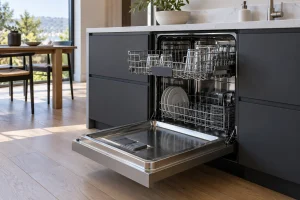
LG dishwashers we repair in San Francisco kitchens, with model labels, display codes, drain and fill issues and safe owner checks.
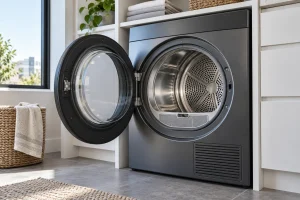
Electric, gas and ventless heat pump LG dryers we repair in San Francisco, with model labels, airflow tips, codes and safe owner…
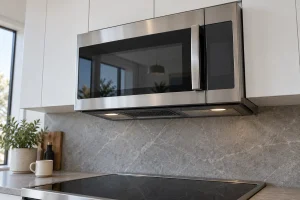
Over-the-range microwaves with convection or exhaust fans: how the lineup works, where the label is and what to check when heating, the…
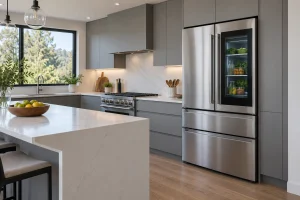
French-door, side-by-side, top-freezer and kimchi LG refrigerators we repair around San Francisco, with models, codes and first checks.
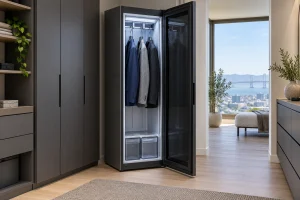
LG Styler steam closets refresh clothes with steam and moving hangers: how they are built, where the label sits, what the codes…
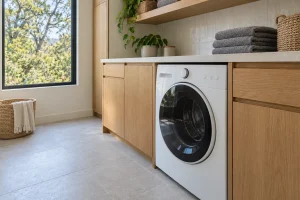
Front-load, top-load, SideKick, combo and WashTower LG washers we repair in San Francisco, with model labels, error codes and safe checks.
Share a few details and we’ll confirm an appointment. Prefer to talk? Call us and we’ll help right away.