Microwave Repair in San Francisco
Over-the-range LG microwaves diagnosed in San Francisco and the Bay Area, covering heating, turntable, door, vent fan and keypad faults, with a…

Specialized LG Appliance Repair in San Francisco
Mon–Sat: 8:00 AM – 7:00 PM
Orientation for owners of LG over-the-range microwaves, with checks to try before a visit.
Most LG microwaves we are asked about in the Bay Area hang above the range. That position matters: the unit shares the wall with the cabinet above and the range below, it pulls cooking steam through a vent, and it carries a light and a fan for the cooktop. When something fails, the cause is often the mounting, the venting or the door, not only the heating itself. Our LG microwave repair page covers what a visit includes.
The MVEL2033F is an over-the-range microwave listed at 2.0 cu ft, and the MVEL2137D is listed at 2.1 cu ft. The LSMC3086SS is an LG STUDIO over-the-range convection microwave at 1.7 cu ft. In model numbers, MV and ME generally point to over-the-range units, while MC and MS point to countertop ones.
The label on an over-the-range unit is usually on the cavity edge or inside the door frame when the door is open, and sometimes on the top edge near the mounting plate. The number is typically a short string beginning with MV or LS. Take a photo with the door open and the light on so the print is readable. Our model number guide has examples.
F3 means foreign substances around the touch button panel. It points to grease, moisture or something pressing the keys. Wipe the panel and leave the door closed with the unit unplugged or switched off for a short rest before trying again. If F3 comes straight back, the panel or control board needs to be tested.
An over-the-range microwave is held by a mounting plate and screws into the wall and cabinet. A unit that has shifted slightly can bind the door against its frame. Exhaust ducting, when it goes outdoors, can hold grease and restrict airflow, and in a recirculating setup the filters take the load. In older San Francisco flats the range may sit in a tight alcove, leaving little space to work, so we want the model and the layout before we arrive.
Do not open the casing, do not run it empty, and stop using the unit if you smell burning, see sparks or the door is damaged. Switch it off at the breaker in those cases.
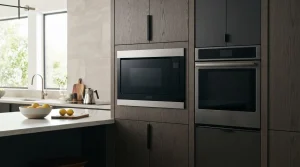
If the checks leave you stuck, request LG microwave repair. We diagnose first, provide a written estimate and repair nothing without your approval. A microwave paired with an oven in the wall is a different product; see LG ranges and ovens for combination units.
The heating can be uneven, but a stuck plate is often just a misplaced roller ring. Reseat the ring, and stop if there is a grinding noise.
It points to foreign substances around the touch button panel. Cleaning and drying the panel is the first thing to try.
A working display only proves the control side has power. Heating relies on separate parts that need to be tested by a technician, never by opening the case yourself.
Our visit is a diagnosis and repair. If the unit is not worth repairing, you receive that finding in your written estimate and decide what to do.
Usually on the cavity edge or the door frame with the door open, sometimes near the top mounting edge.
Over-the-range LG microwaves diagnosed in San Francisco and the Bay Area, covering heating, turntable, door, vent fan and keypad faults, with a…
Convection mode that will not heat, a turntable that stalls or a panel that beeps: repairing the LG STUDIO LSMC3086SS over-the-range microwave…
No heat, a dead display or a noisy fan on the LG MVEL2033F 2.0 cu ft over-the-range microwave? We diagnose it for…
Turntable stuck, sparks, odd noises or a dark display on the LG MVEL2137D 2.1 cu ft over-the-range microwave: diagnosis for Bay Area…
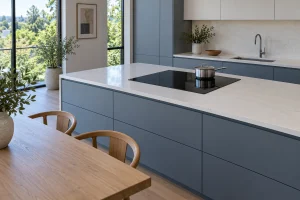
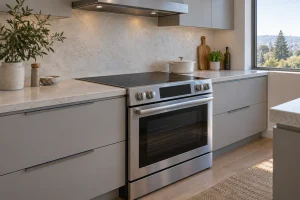
Gas, electric and induction cooktops set into the counter: how the LG lineup is laid out, where the label hides and what…
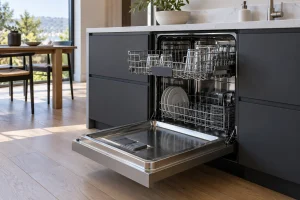
LG dishwashers we repair in San Francisco kitchens, with model labels, display codes, drain and fill issues and safe owner checks.
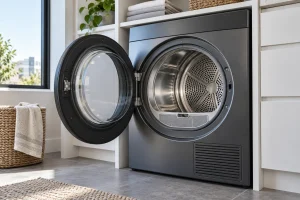
Electric, gas and ventless heat pump LG dryers we repair in San Francisco, with model labels, airflow tips, codes and safe owner…
Freestanding and slide-in ranges, single, double and combination wall ovens: what the LG lineup looks like and what we check when one…
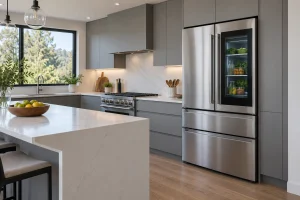
French-door, side-by-side, top-freezer and kimchi LG refrigerators we repair around San Francisco, with models, codes and first checks.
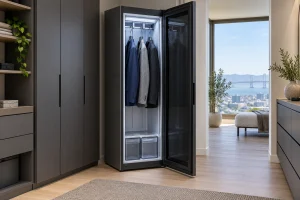
LG Styler steam closets refresh clothes with steam and moving hangers: how they are built, where the label sits, what the codes…
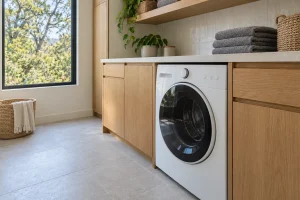
Front-load, top-load, SideKick, combo and WashTower LG washers we repair in San Francisco, with model labels, error codes and safe checks.
Share a few details and we’ll confirm an appointment. Prefer to talk? Call us and we’ll help right away.